What is IPTV?
IPTV means television delivered over the Internet. A service may offer live TV, on-demand video or replay according to its catalogue and rights. The player is the application used to open a compatible source; it does not itself provide a programme service.
How does your setup work?
A setup has three parts: an Internet connection, a device with a suitable player and service settings. An M3U playlist contains media addresses. Other offers use a portal or server, username and password fields. Follow the format actually supplied.
Uses to compare
Choose around live TV, films, series, programme language, TV guide and replay needs. Compare term, simultaneous connections and screen model. Quality depends on source, player, device and network, rather than the plan name alone.
IPTV, cable and satellite: differences
Internet television uses the network connection. Cable and satellite use different delivery systems and, depending on the offer, a decoder. Compare actual programmes, equipment, fees, term and provider conditions.
| Comparison point | IPTV | Cable | Satellite |
|---|---|---|---|
| Delivery | Internet connection | Provider’s cable network | Satellite signal and suitable equipment |
| Equipment | Supported device and player | Contract-specific equipment | Suitable receiver and installation |
| Before choosing | Network, player, connections and rights | Served address and offer terms | Reception, installation and offer terms |
Check rights and territory
IPTV technology and programme rights are separate matters. Ask for provider identity, offer terms and authorised territories. A player appearing in an app store does not certify rights for an added source.
Your TV, box or phone
Record model and system: Samsung Tizen, LG webOS, Android TV, Google TV, Fire TV or Apple TV. On phones and computers, also choose the matching edition. Check store or developer downloads for the exact model.
Install IPTV on Smart TV
Prepare your Smart TV for an IPTV subscription in France. Follow the steps in order and choose a player compatible with your model.
View details ↗
Install IPTV on Samsung TV
Prepare your Samsung TV for an IPTV subscription in France. Follow the steps in order and choose a player compatible with your model.
View details ↗
Install IPTV on LG TV
Prepare your LG TV for an IPTV subscription in France. Follow the steps in order and choose a player compatible with your model.
View details ↗
Install IPTV on Android TV
Prepare your Android TV for an IPTV subscription in France. Follow the steps in order and choose a player compatible with your model.
View details ↗
Install IPTV on Google TV
Prepare your Google TV for an IPTV subscription in France. Follow the steps in order and choose a player compatible with your model.
View details ↗
Install IPTV on Fire TV Stick
Prepare your Fire TV Stick for an IPTV subscription in France. Follow the steps in order and choose a player compatible with your model.
View details ↗
Install IPTV on Apple TV
Prepare your Apple TV for an IPTV subscription in France. Follow the steps in order and choose a player compatible with your model.
View details ↗Install IPTV on iPhone
Prepare your iPhone for an IPTV subscription in France. Follow the steps in order and choose a player compatible with your model.
View details ↗Install IPTV on iPad
Prepare your iPad for an IPTV subscription in France. Follow the steps in order and choose a player compatible with your model.
View details ↗
Install IPTV on Android
Prepare your Android for an IPTV subscription in France. Follow the steps in order and choose a player compatible with your model.
View details ↗
Install IPTV on Windows
Prepare your Windows for an IPTV subscription in France. Follow the steps in order and choose a player compatible with your model.
View details ↗Install IPTV on macOS
Prepare your macOS for an IPTV subscription in France. Follow the steps in order and choose a player compatible with your model.
View details ↗
Install IPTV on MAG Box
Prepare your MAG Box for an IPTV subscription in France. Follow the steps in order and choose a player compatible with your model.
View details ↗
Install IPTV on Formuler
Prepare your Formuler for an IPTV subscription in France. Follow the steps in order and choose a player compatible with your model.
View details ↗
Install IPTV on Chromecast
Prepare your Chromecast for an IPTV subscription in France. Follow the steps in order and choose a player compatible with your model.
View details ↗Install IPTV on Box Android
Prepare your Box Android for an IPTV subscription in France. Follow the steps in order and choose a player compatible with your model.
View details ↗Install IPTV on Autres appareils
Prepare your Autres appareils for an IPTV subscription in France. Follow the steps in order and choose a player compatible with your model.
View details ↗Prepare your Internet connection
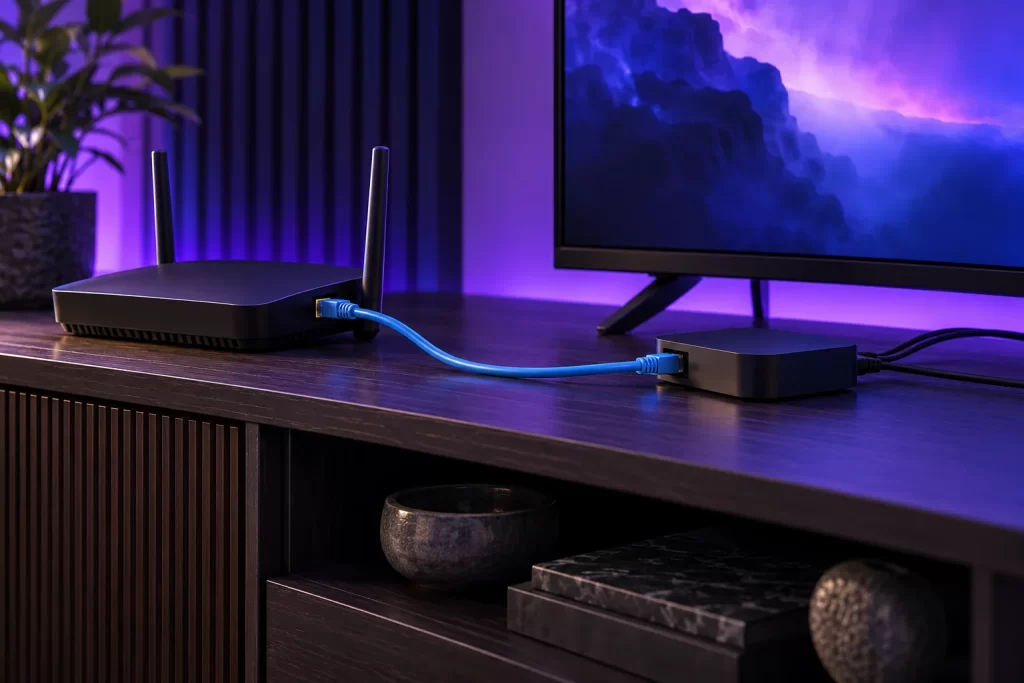
Required bandwidth varies with programme resolution and encoding. Test the actual device rather than only a phone near the router. Allow capacity for other usage and simultaneous devices. Ethernet can help isolate a Wi-Fi problem.
Install in four steps
Identify the device, install the appropriate player from its developer or store, add service settings and test one source. Menus vary between players: our device guides direct you to the relevant documentation.
- 01
Identify your device
Brand, model and system: Tizen, webOS, Android TV, iOS…
- 02
Install the player
Use your device store or official developer links.
- 03
Add your service
Follow the M3U, portal or login method supplied by the service.
- 04
Test your screen
Check playback, sound, language and simultaneous streams.
Activation and subscription: two terms
Application activation alone does not include an IPTV subscription. It costs €7 for 1 year or €12 lifetime; with a subscription in the same request, €5 or €10. “Lifetime” concerns the player licence under its developer’s terms.
| Licence | Application | IPTV + Application |
|---|---|---|
| 1 year | 7.00 € | 5.00 € |
| Lifetime | 12.00 € | 10.00 € |
Price per activation. No quantity discount. Applicable term depends on the player edition.
One simultaneous device per subscription
For multiple simultaneous devices, select that many subscriptions. From two, the calculation is price × subscription quantity minus 10%. Activations are separate, always at unit price without a discount. The summary shows both lines.
Each subscription supports one screen at a time. Choose the access your household needs for simultaneous screens.
Troubleshoot step by step
Start with network, then player and finally service. Test another programme, note the exact error and keep credentials private. Our troubleshooting section separates buffering, black screen, login, licence, TV guide and connection limits.
Your questions before ordering
What is the difference between a subscription and a player?
A player opens a compatible content source. Its licence and a subscription are separate products. Activating a player does not provide channels.
How do I order quickly?
Choose Starter, Saver, Pro or Ultimate, then click the button for your preferred duration. WhatsApp opens with plan, duration and total already filled in. You send the message yourself.
How do I find my device guide?
Open Installation and choose your television, box, phone or computer. The guide explains the useful details, store and preparation steps. Compatibility depends on model and player.
Which terms are available for each plan?
Each plan displays its terms and prices in the subscription grid. Choose your plan to compare its total and monthly equivalent.
Does this site collect payment?
The website prepares your WhatsApp request. No payment is collected on this site. The seller confirms the terms and payment method during the conversation.
Should I share my password?
To activate a player, enter the MAC displayed in the application. Device Key is optional. These details are included in your WhatsApp message and your request is saved on the website.
How much does application activation cost?
Application activation alone does not include an IPTV subscription. 1 year : 7.00 € / IPTV + Application : 5.00 € · Lifetime : 12.00 € / IPTV + Application : 10.00 €. A question about your player? Our team is here to help.
How do I order for multiple devices?
Each subscription permits playback on one device at a time. Choose that many subscriptions for multiple simultaneous devices: from 2, multiply IPTV price by quantity then deduct 10%. Player licences are added separately without a discount.
How do I get the bonus month?
Choose a 12-month subscription for 13 months of IPTV access with 12 paid months, per subscription. The bonus does not extend the player licence. The annual form also offers application activation.
Do the images show the catalogue?
Posters open editorial film features with reference sources. They do not describe programmes included in a subscription. Original scenes illustrate the site’s TV atmosphere.
No matching answer. Try another word or contact us.